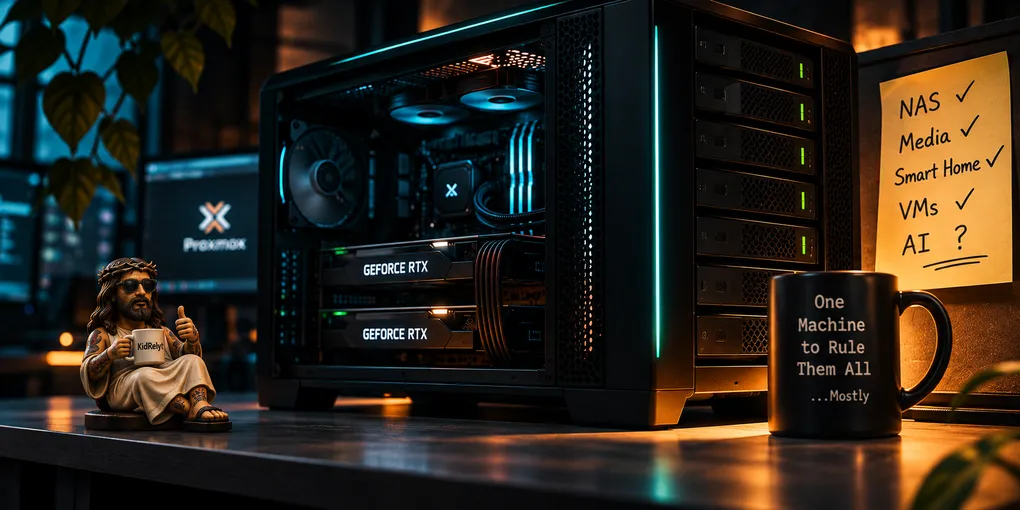
I Just Wanted a Big NAS
I wanted a big NAS. Somewhere to keep my files, host my media, and stop paying for subscriptions I could replace myself.
Then I decided it should run my smart home. And a few VMs. And maybe some AI, since I already had a couple of GPUs lying around.
The last couple of posts kept mentioning the main server without explaining it. This is that explanation. What I wanted it to do, why I wanted it, and everything that went wrong along the way. A good chunk of it self-inflicted.
The List
The plan was to take my gaming desktop and fold it into a proper NAS build. The 4070 came out of the desktop, and the 3060 was lying around from when I upgraded to it. Those two cards and an SSD were the only parts that came from the desktop. I also had six drives lying around. Everything else was a purchase.
These days I game on a VM.
There was no budget. I picked what would do the best job for each task I wanted, within reason, and bought that. The within reason part is why the drives are getting replaced one at a time instead of all six at once.
I wanted a home NAS first. A real one, where I owned my movies, music, and documents instead of renting access to them. I wanted Jellyfin, Seerr, and a full ARR stack so I could get rid of the subscriptions in my household. I wanted a file share so I could get off Google’s cloud.
I wanted Home Assistant built in to run the house, and I wanted to self-host everything humanly possible. Proxmox went underneath all of it so I could spin up a VM whenever I felt like it. I’d used Proxmox before, so that’s what I went with.
And I wanted somewhere to fart around with AI.
I had the 4070 and the 3060, and the plan was to give them a VM and see what happened. I didn’t know much about AI at the time. It was supposed to be a tiny lab bolted onto the side of a very large NAS.
One machine to rule them all. Reasonable. Almost suspiciously so.
The Hardware
| Part | Current |
|---|---|
| CPU | 12-core desktop CPU |
| Board | ATX, three physical PCIe slots, onboard 10GbE |
| RAM | 64GB DDR5 |
| PSU | 1000W modular, on a UPS |
| Chassis | NAS case, 12 hot-swap 3.5-inch bays plus 4 SSD bays |
| HBA | LSI SAS2308 |
| Pool | RAIDZ2 across six drives, five ~4TB 2.5-inch SMR and one 24TB CMR |
| NVMe | 500GB for the OS, 2TB Gen 5 for VM storage |
| GPU | RTX 4070 Super, 12GB |
| Network | Onboard 10GbE, link down. Running on 2.5GbE. |
That’s the second board, after the first one died. The pool started as six SMR drives and is being swapped to CMR. The 3060 is gone, so it’s one GPU now.
Dead on Arrival
The dead board was the biggest pain in the ass of the whole build. I’d put everything together and it wouldn’t turn on, so I had to tear it all apart to run the tests.
Before I called it dead, I worked down the list. I swapped the power cord and checked the switch on the back of the PSU. I ran the PSU by itself with a paperclip on the PS_ON line. Then I put in a second PSU I knew was good, a spare from the old rig.
Still dead.
The last test was the board on the bench outside the case, CPU and heatsink pulled, 24-pin only, still no standby LED. That ruled out the PSU, the cable, a standoff shorting something, and the CPU.
It was a dead fucking board, and it went back for an RMA.
Picking the replacement took some thought. I needed three physical PCIe slots, two for GPUs and one for the HBA, so anything with only two x16 slots was out. A cheaper candidate had all three slots, but only one CPU-direct x16 lane and no onboard 10GbE. I took the one with the three slots and the 10GbE.
With the replacement board installed, I could finally get back to building the NAS I’d planned. Which required the drives to actually exist.
The Drives Disappeared
The storage plan was ZFS on six spinning drives I had lying around. They’re 2.5-inch SMR drives, a type built for portable enclosures and not for a NAS taking sustained writes.
Three of the six showed nonzero uncorrectable error counts before I built anything, so I went with RAIDZ2 and gave up capacity for a second drive’s worth of parity. I can lose two drives and still have my data.
Then I had to get them to show up.
On first power-on, two of the six were detected. I moved all six onto the single 8-bay backplane and all six disappeared.
Power was the problem. That backplane needs two Molex leads plus SATA power at the same time, and SATA alone can’t feed six drives at spin-up. I plugged in both Molex leads and all six were detected immediately.
Then I wiped the stale partition tables and ZFS labels left over from their previous lives, because a few hadn’t been visible the first time I tried.
If drives vanish on that backplane again, the power connectors get checked before the HBA, the cables, or the drives.
The SMR decision has already caused trouble once. The host locked up completely in the middle of a photo migration, and the best theory is SMR write pressure.
That’s a theory. I never confirmed it, and the migration finished with zero data loss.
The drives are being replaced with 24TB CMR ones, one at a time, with the new drive in before the old one comes out so the pool never loses protection. The first resilver took a little over two hours with zero errors.
With the storage finally behaving, I could get back to the other half of the plan. Making the GPUs do something useful.
Passthrough
Then came GPU passthrough.
The 3060 sat in the bottom chipset slot, and it shared an IOMMU group with the OS drive and most of the board’s I/O. I couldn’t hand that whole group to a VM.
An ACS override split it out. That’s software grouping, not real hardware isolation, and it doesn’t add separation the board doesn’t have. A compromised VM on that card has a wider path to the host than it would on proper hardware ACS. I accepted that because the VM it feeds is one I built and trust.
Moving the card to a better slot would have fixed it properly, but that meant moving the HBA inside a case I’d already finished building.
The Jellyfin VM was the first test.
The NVIDIA driver wouldn’t load, because Secure Boot in the VM firmware blocked the unsigned module. I turned it off inside the VM and skipped module signing instead of enrolling a key. That was the lazy option, and the guest no longer checks what it loads into its own kernel. The setting lives in the VM’s virtual firmware, not the host’s.
Then “reboot” and “update-initramfs” came back “command not found,” because I’d used “su” instead of “su -” and my root shell had no sbin in its PATH.
My fucking bad.
Then the AI VM refused to start.
The error said the firmware requested a 1:1 IOMMU mapping and the kernel was rejecting anything else. The IOMMU group was clean and the IOMMU was enabled.
The Jellyfin VM had come up fine through the same reboot, so I’d ruled out my config and a board-wide regression before I found a documented firmware problem on boards like this one.
Changing which display was primary did nothing. Setting the DMA protection option in the BIOS from Auto to Disabled fixed it. That option exists to stop devices from reading memory they shouldn’t, so I traded a protection for a working VM. I’m fine with that on a machine in my house.
Community reports blame the firmware. I can confirm the setting fixed it, and I can’t confirm the vendor’s side of the story.
If it fails like this again after a BIOS update, that setting gets checked first, because it will have quietly reset itself.
The 3060 stayed on Jellyfin duty until I bought a mini PC to take that job over. That freed the card, and I figured I could pair it with the 4070 for AI.
The pairing never happened.
The 3060 came out, and the AI VM later got a different pair of cards.
I underbuilt the AI side because I didn’t know enough. Splitting two different video cards across jobs is a good example. Consumer cards can’t be shared between VMs, so each one gets handed to a single VM whole.
The original plan was already starting to come apart. Not because the machine couldn’t do anything, but because trying to make it do everything had its own complications.
And the hardware wasn’t the only thing fighting me.
The Certificates Fought Back
I wanted real certificates through a reverse proxy, and it turned into a multi-hour fight with several unrelated problems stacked on top of each other.
The proxy was too old to talk to the Docker Engine I was running. I put labels under the wrong service block, then I was off by one space on a separate key.
Run the config check before bringing anything up, every time.
The qBittorrent container sits inside a VPN container’s network, which broke the proxy’s auto-discovery until I told it explicitly which network and port to use.
Then the real one.
The ACME challenge records were being created correctly through the Cloudflare API, and I could see them there. Pi-hole and Unbound kept returning NXDOMAIN for them anyway, while public resolvers saw them fine.
Flushing the cache didn’t touch it.
I still don’t fully know what was wrong. My working theory is that the validating resolver cached a proof of non-existence from an earlier lookup and kept answering from it.
I never confirmed that.
The workaround was pointing the challenge verification at a public resolver, which only affects certificate checks and leaves normal internal DNS alone.
The problem got routed around. It did not get fixed.
Quality Control the Hard Way
The media stack was the other place my own assumptions got audited.
I’d hand-tuned the quality definitions in Radarr and Sonarr, and Recyclarr’s nightly sync kept silently overwriting them.
Quality definitions are global, so syncing any profile touches the shared table, and my split between what Recyclarr managed and what I managed was never real.
I moved the whole thing to Recyclarr running TRaSH Guides profiles, which come with custom formats that reject fake upscaled releases.
I’d been catching those by hand.
A release with “UpScaled” in the filename is not 4K, no matter what the file size or resolution says, and some had imported without a single complaint.
Deleting the oversized grabs from before I set quality caps got back about 560GB.
At least that particular mistake gave me some storage back.
Everything I Tested By Accident
I never ran a proper pre-launch test. Most of it came from things breaking.
An unplanned reboot showed that several of the services I depended on weren’t set to start on boot, so none of them came back.
I fixed that.
Later, a real power outage tested the UPS shutdown and the power-on recovery end to end, and both worked.
A second outage exposed two gaps on the Jellyfin mini PC, an NFS mount that raced the network at boot and no auto power-on.
Both got fixed and verified.
Not exactly a formal test plan, but the house apparently had other ideas.
The Backup Question
The Synology used to be my NAS. Now it’s the weekly backup target.
Once a week, Proxmox Backup Server copies the VMs, containers, and the shares I can’t lose onto it, and it keeps two weeks of history. The live data stays on the main server.
I’ve restored small files, to check the box.
Nothing has failed badly enough to force a full restore, so that part is still unproven, and I’d rather say so than pretend otherwise.
The drive swap is the closest thing to a real test so far, and it went without a hitch. That proved the pool can take a drive replacement.
Still Broken
Two things are still broken, and both are stashed in the backlog.
The certificate DNS problem is still routed around, not fixed.
The 10GbE link is still down. The transceiver got too hot to touch, so I pulled it, and the main server runs on 2.5GbE.
Replacing it is a “meh” problem and nothing is on order.
Home Base
If I rebuilt it tomorrow, I wouldn’t have tried to make it an AI lab at all. I’d accept that AI needed its own machine and keep this one focused on Proxmox and the home lab.
That’s what it is now, the “stable” and “safe” version of things.
The one purchase I’d make again without hesitation is the new drives. I’m swapping the old SMR drives out one at a time for 24TB CMR drives, so the pool gets bigger.
Only one is in so far, because life got in the way of the rest.
There’s no single next task. There’s always a long list, and it keeps growing, because every Reddit post I read turns into another build plan I want to test out.
It started as one machine to rule them all. Now the AI work has its own box, Jellyfin has a mini PC, and the main server is slowly becoming what it probably should have been from the beginning.
A really big NAS.
Mostly.